
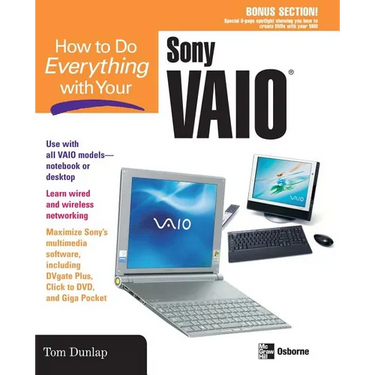

How to Do Everything with Your Sony Vaio (R) - Paperback
 How to Do Everything with Your Sony Vaio (R) - Paperback
$37.00
/
How to Do Everything with Your Sony Vaio (R) - Paperback
$37.00
/

products.product.pickup_availability.unavailable

Your payment information is processed securely. We do not store credit card details nor have access to your credit card information.


by Jon Chappel (Author)
Covers aspects of the laptop including software, peripherals, networking, and routine maintenance and upgrades. Customers who buy Sony products don't skimp - they're willing to spend the extra money for peripherals and books. This book explains how to make the Vaio a multimedia hub by connecting the laptop to a digital camera, home stereo, and TV.
Back Jacket
Discover all the treasures your Sony VAIO desktop or laptop holds with this step-by-step, easy-to-follow guide. Whether you're new to computers or an old hand, you'll find a trove of tips and tricks that help you maximize your VAIO's power--get a valuable primer on hardware and software, then delve into more advanced topics like understanding and choosing ISPs and setting up a wired or wireless home network. Next, dive into your VAIO's fun features, including its multimedia capabilities--hook up your camcorder to your VAIO, edit video, burn DVDs, play games, or record and watch your favorite TV shows. To keep your VAIO in tiptop shape, check out the chapters on troubleshooting and maintenance.Record and retrieve your favorite TV shows for playback--or burn them onto a DVD Plan a home or small office network, buy the right hardware, and install your network, including a shared printer Understand wired and wireless networking basics, and secure your connection Learn how to legally copy a DVD movie Import and edit video using DVgate Plus Connect your camcorder to your VAIO, turning it into your personal video recorder Burn CDs and DVDs using the Windows XP CD Writing Wizard or EasySystems Drag 'n Drop CD+DVD Play games on your VAIO Set up and organize e-mail and newsgroup readers using Outlook Express Understand your backup options and troubleshoot problems
BONUS SECTION! Special 8-page spotlight showing you how to create DVDs with your VAIO
About the author: Tom Dunlap is a senior editor at CNET Networks, specializing in notebook computers. He has been a technology journalist for over a decade, and his work appears regularly in Computer Shopper magazine, CNET.com, and ZDNET.com.

%20-%20Paperback)