
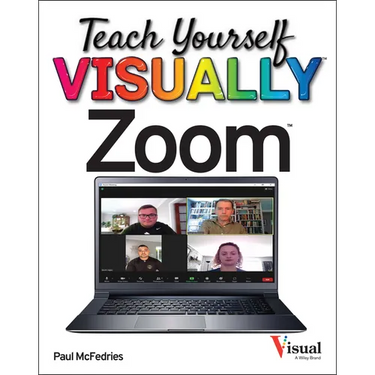

Teach Yourself VISUALLY Zoom - Paperback
 Teach Yourself VISUALLY Zoom - Paperback
$37.00
/
Teach Yourself VISUALLY Zoom - Paperback
$37.00
/

products.product.pickup_availability.unavailable

Your payment information is processed securely. We do not store credit card details nor have access to your credit card information.


by Paul McFedries (Author)
Learn Zoom in a flash with step-by-step instructions and clear, full-size screenshots
For anyone looking for a fast and easy way to learn the most popular videoconferencing software on the market today, Teach Yourself VISUALLY Zoom is your secret weapon. This hands-on guide skips the long-winded explanations and actually shows you how to do what you need to do in Zoom with full-size, color pictures and screenshots.
Whether you're a total newbie to Zoom or you just need to brush up on some of the finer points of this practical software, you'll be up and running in no time at all. From joining and hosting Zoom meetings to protecting your privacy and security while you're online, Teach Yourself VISUALLY Zoom hits all the key features that make online meetings a breeze. You'll also learn to:
- Integrate Zoom with other apps and share screens and PowerPoints with other meeting attendees
- Schedule, record, and replay your meetings so you never miss out on the important stuff
- Update your Zoom installation to ensure you're using the latest security patches and upgrades
Perfect for anyone expected to use Zoom at school or at work, Teach Yourself VISUALLY Zoom is the most useful and simplest Zoom handbook currently available.
Front Jacket
Teach Yourself VISUALLY
Are you a visual learner? Do you prefer instructions that show you how to do something--and skip the long-winded explanations? If so, then this book is for you. Open it up and you'll find clear, step-by-step screen shots that show you how to tackle countless Zoom tasks. Each task-based spread covers a single technique, sure to help you get up and running on Zoom in no time.
You'll learn to:
- Host and join Zoom meeting
- Protect your privacy and security
- Schedule or record your meetings
- Integrate Zoom with other apps
- Share screens and PowerPoints
Designed for visual learners
- Two-page lessons break big topics into bite-sized modules
- Succinct explanations walk you through step by step
- Full-color screen shots demonstrate each task
- Helpful sidebars offer practical tips and tricks
Author Biography
Paul McFedries is a full-time technical writer. Paul has been authoring computer books since 1991, and he has more than 100 books to his credit. Paul's books have sold more than four million copies worldwide. These books include the Wiley titles Teach Yourself VISUALLY Windows 11, Second Edition, Teach Yourself VISUALLY Microsoft 365, Second Edition, Google Workspace For Dummies, and HTML, CSS, and JavaScript for Dummies. Paul invites you to drop by his personal website at https: //paulmcfedries.com and to follow him on X @paulmcf and on Facebook at https: //facebook.com/PaulMcFedries.

